A WINDOW TO YOUR WORLD
Big screen.
Small distance.
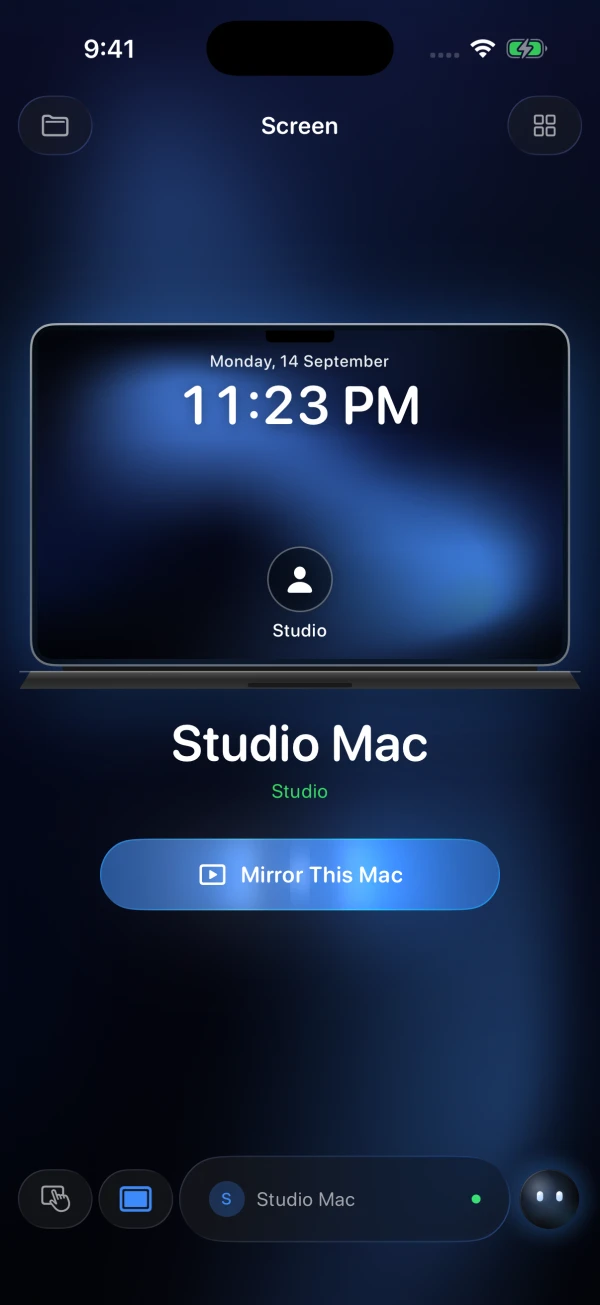
See your Mac’s screen, right in your hand. A quick check-in, without the trip back.

 handoff.
Get Handoff
A little app. A lot of freedom.
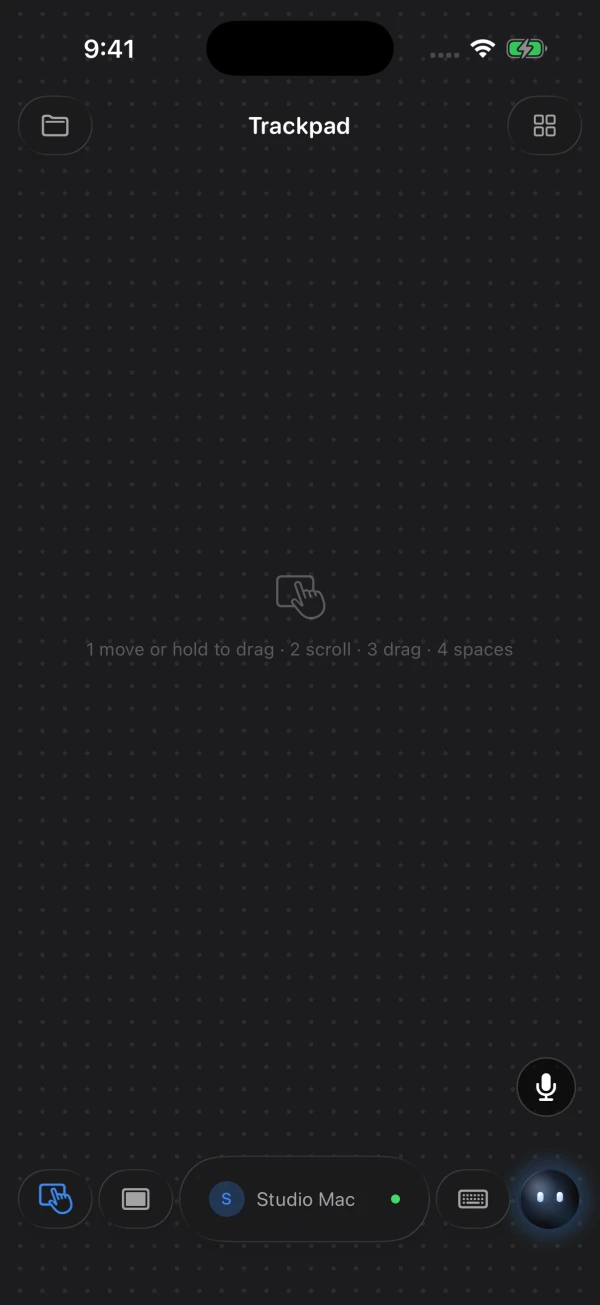
Your trackpad, keyboard, screen, and a helping hand.
Everything you love about your Mac. Now on your iPhone.
Free on your Wi-Fi. Mac companion included ↗
a little room
to roam.
Interactive illustration with real, sample-data app interfaces.
ONE APP. YOUR WHOLE MAC.
A familiar gesture. A little more space.
It’s your Mac, just from a different point of view.
Good ideas don’t
need a desk.
A WINDOW TO YOUR WORLD
See your Mac’s screen, right in your hand. A quick check-in, without the trip back.
FOR YOUR NEXT BIG IDEA
A real shell on your Mac. Your projects and read-only files. Keep your train of thought.
~/a-little-more-freedom
on main

❯ git status
On branch main
nothing to commit, working tree clean

❯ THE IMPORTANT LITTLE THINGS
Play, pause, skip. Find the perfect volume. All the controls, none of the getting up.
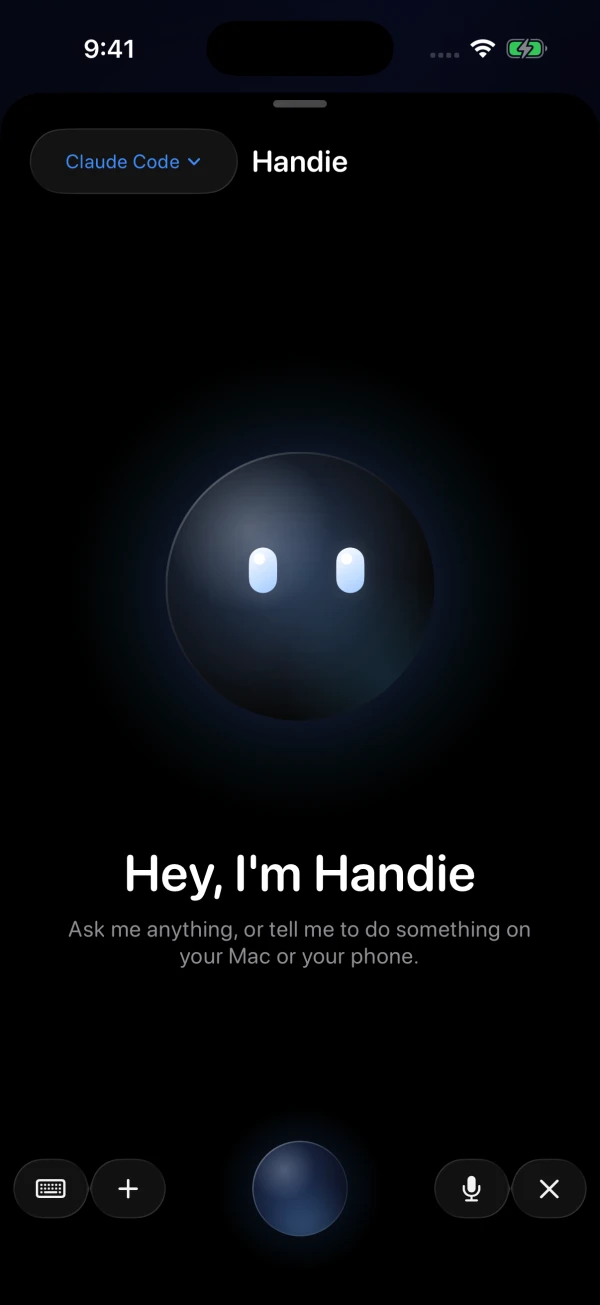
MEET HANDIE
Ask by voice or text. Handie brings your Mac’s AI agent along for the ride, with the ability to take action on your Mac.
Say helloRequires a supported AI agent installed and signed in on your Mac. Provider terms and usage limits apply.
HandieEXAMPLEMusic is open. Pick something good.
Links, notes, that one little thing. Move text between your Mac and iPhone.
Pair your Macs, switch between them, and bring your whole setup along.
Set up remote access at home, then stay connected when you head out.
A SMALL SETUP. A BIG SIGH OF RELIEF.
Get Handoff on your iPhone and the companion on your Mac. It lives quietly in your menu bar.
On the same Wi-Fi, enter your Mac’s six-digit pairing PIN. One introduction, a lasting connection.
Grant the Mac permissions for the features you want, then find your favorite place to sit.
NEAR. FAR. STILL YOURS.
Every feature on your own Wi-Fi. Free, without limits.
Heading out? Set up remote access first. Basic remote controls, files, and Handie are free too. Remote terminal and additional screen sharing are available with Pro.
A few things to knowTHE LITTLE QUESTIONS.
An iPhone with iOS 26 or later, and a Mac with macOS 15 or later running the Handoff companion. Pair them on the same Wi-Fi. Pointer control needs Accessibility permission; screen sharing needs Screen Recording permission on your Mac.
Yes. Set up remote access while your iPhone and Mac are together on Wi-Fi. Your Mac needs to be awake, online, and running Handoff when you connect remotely.
All local Wi-Fi features are free. Basic remote controls, apps, file browsing, and Handie are free too. Remote screen sharing has an allowance; Pro adds remote terminal access and additional screen sharing. Check the app for current plans and allowances.
Handie connects to a supported AI command-line agent installed and authenticated on your Mac, such as Claude Code or Codex. Your provider’s account requirements, permissions, and usage limits still apply.
Browse projects open in VS Code or Cursor, read files, and open real terminal sessions on your Mac. The file viewer is read-only; use the terminal or screen sharing to make changes.
A LITTLE CLOSER STARTS HERE.
Go find your favorite spot. Bring Handoff.
Public beta on TestFlight · iOS 26+ · macOS 15+ · Free on your Wi-Fi